




 By Mia Conway
•
9 Nov 2026
•
6 min read
•
Direct Mail & Print Marketing
The best automated reporting for direct mail combines two things: delivery tracking from your print and mail partner, and response tracking through QR codes, personalized URLs, and promo codes. When both feed into one set of reports, you can see what landed, who responded, and what it earned without stitching spreadsheets together by hand.
Here’s what to measure, how to track each step, and which reporting options fit different teams.
What should you measure in direct mail?
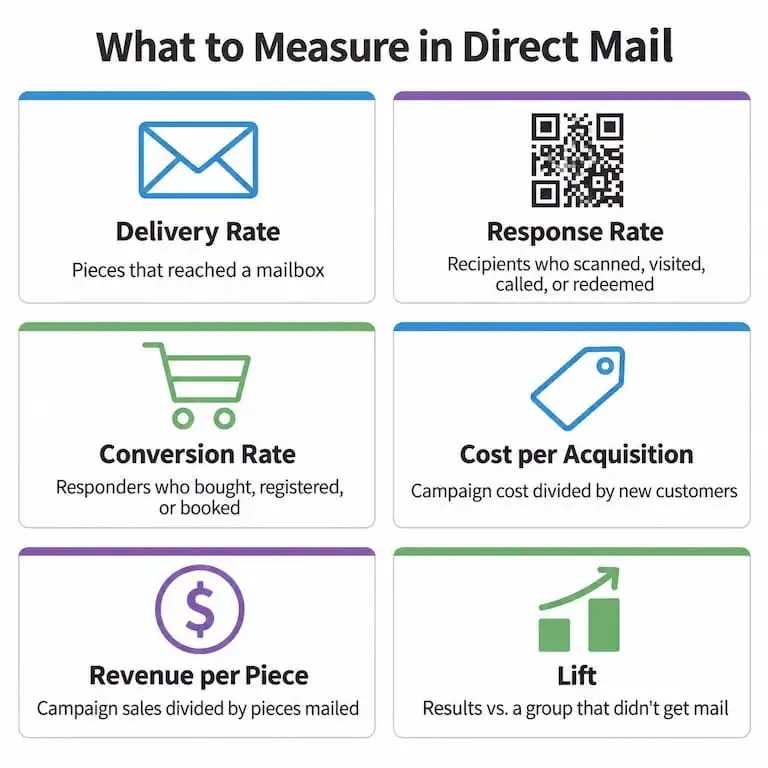
Measure delivery, response, and revenue so you can see both whether your mail arrived and whether it paid off. These are the core metrics:
- Delivery rate: the share of pieces that reached a mailbox
- Response rate: the share of recipients who scanned, visited, called, or redeemed
- Conversion rate: the share of responders who bought, registered, or booked
- Cost per acquisition: total campaign cost divided by new customers
- Revenue per piece: total sales tied to the campaign divided by pieces mailed
- Lift: the difference in results between people who got mail and a similar group who didn’t
If you’re new to the channel, our overview of how direct mail marketing works covers the basics. For the formulas behind return on investment (ROI), see our guide to calculating direct mail ROI.
How do you track direct mail delivery?
You track delivery through Intelligent Mail barcodes, which USPS scans as each piece moves through the postal network. Those scans show when mail was accepted, processed, and out for delivery, so you know when it actually reached homes and offices.
- Barcode scan data. USPS shares this data with mailers through its Informed Visibility mail tracking service. Most full-service mail partners handle the setup for you.
- Seed addresses. Add a few of your own team’s addresses to the list so you can confirm timing and see exactly what recipients received.
Delivery dates matter because they anchor your response window. Without them, you can’t tell a slow response from slow mail.
How do you track direct mail responses?
Give every campaign, audience segment, or test version its own trackable path, so each response points back to the piece that drove it.
- QR codes and short URLs. Send each one to a mobile-friendly landing page tagged with UTM parameters (short codes added to a link that tell your web analytics where a visit came from).
- Personalized URLs (PURLs). Give each recipient a unique web address so you know exactly who responded.
- Call tracking numbers. Use a dedicated phone number per campaign for audiences who prefer to call.
- Promo codes. Create a unique code per segment or offer to track online, phone, and in-store orders.
- In-store redemptions. Set up your point-of-sale system to capture codes at checkout.
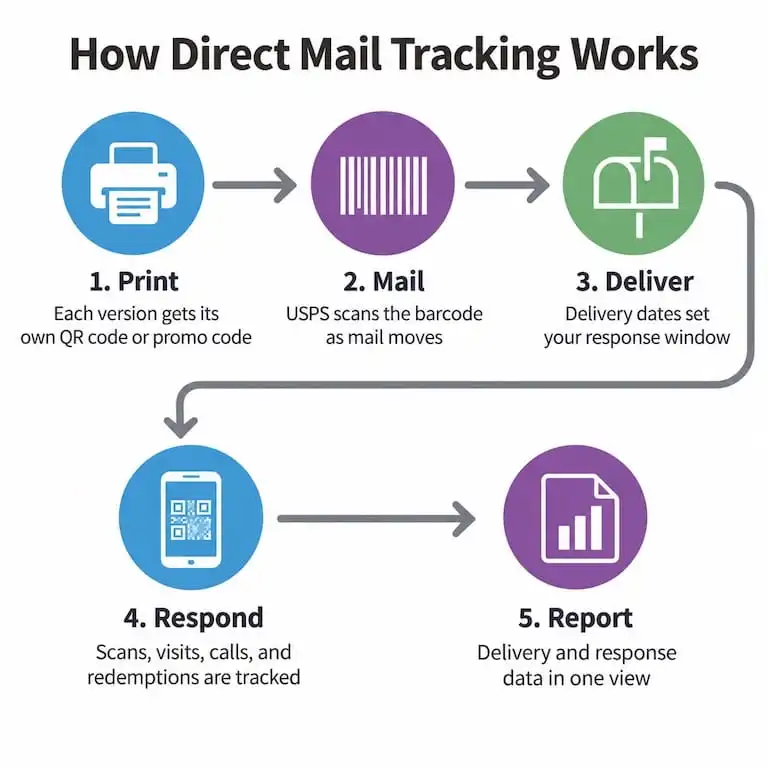
Track responses for several weeks after delivery, and use your past campaigns to set the right window for your audience.
What are the best automated reporting options for direct mail?
The best option depends on how much of the process you want to own. Most teams choose from four types:
- USPS Informed Visibility gives you raw scan data for barcoded mail. It’s thorough but technical, so it suits teams with in-house mailing expertise.
- API-first mail platforms, such as Lob and PostGrid, let developers trigger mail from their own software and pull delivery data automatically.
- Marketing automation platforms, such as Postalytics, connect mail to campaign triggers and audience data in tools your marketing team already uses.
- Full-service print and mail partners produce, mail, and track your campaigns in one place, then hand you the reports.
If direct mail is one of many things your team prints, a full-service partner keeps reporting simple. At Mimeo, we offer end-to-end direct mail with tracking: we print your pieces, mail them through USPS, and give you downloadable delivery reports so you can match drop dates to your response data. When you need mail to fire automatically from your own systems, our Mimeo APIs for triggered mailings can send direct mail on your schedule.
Tracking and reporting is one of six criteria worth comparing before you commit. Our direct mail vendor comparison covers the rest, plus the questions to ask each provider.
What should a direct mail report show?
A good report answers three questions at a glance: Did it arrive? Did people respond? Was it worth it?
- Delivery status by drop date and region
- Response and conversion rates by audience segment and creative version
- Cost per acquisition and revenue by campaign
- Notes on tests and changes, so trends are easy to explain later
Line charts work well for delivery and response over time. Bar charts make it easy to compare segments and versions side by side.
How do you use direct mail reports to improve future campaigns?
Use each report to decide what to scale, what to fix, and what to stop.
- Test one thing at a time. Compare headlines, formats, offers, or timing, with a unique code or URL for each version.
- Clean your list. Remove undeliverable addresses and suppress recent buyers or people who never respond.
- Look past response rate. A lower response with higher order values can still be your best performer.
- Set a review rhythm. Check delivery and responses weekly during active campaigns, then summarize monthly or quarterly.
- Keep a testing log. Record what you tried and what happened so each campaign builds on the last.
How do you get started with direct mail tracking?
Start with what you can set up this week: a unique QR code or URL, a promo code, and delivery reports from your mail partner. Once those are working, add call tracking, control groups, and deeper analysis as your program grows.
Set up a tracked direct mail campaign with our team. We handle printing, mailing, and delivery reporting, with 24/7 US-based support along the way.
Frequently Asked Questions about Direct Mail Tracking
Can you track direct mail?
Yes. USPS scans barcoded mail as it moves through the postal network, and QR codes, personalized URLs, promo codes, and call tracking numbers connect responses back to each campaign.
What is the most important direct mail metric?
It depends on your goal, but cost per acquisition is often the most useful because it ties spending to real results.
How long should you track responses after a mailing?
Track for several weeks after delivery. Products with longer buying cycles may need a longer window.
What is a control group in direct mail?
A control group is a set of people who match your audience but don’t receive the mailing. Comparing their results to recipients shows how much the mail itself changed behavior.
Do you need special software to track direct mail?
Not to start. QR codes, promo codes, and delivery reports from your mail partner cover the basics, and dedicated tools can help as volume grows.
Things to remember
- Automated direct mail reporting pairs delivery tracking with response tracking in one view.
- Measure delivery rate, response rate, conversion rate, cost per acquisition, revenue per piece, and lift.
- Give every campaign, segment, and test its own QR code, URL, or promo code.
- Choose a reporting option that matches how much of the process you want to manage.
- Review results on a set schedule and log what you learn.
What you should read next
5 Best Direct Mail Formats for High-ROI Marketing Campaigns
Direct Mail for Associations: A Practical Guide to Membership Campaigns That Get Results
Bulk Direct Mail Services: Cost-Effective Communication for Large Member Bases
Direct Marketing for the Small Business: A Guide to Building an Effective Direct Marketing Strategy

Mia Conway
Director of Customer Success
Mia Conway is Director of Customer Success at Mimeo, with nearly a decade of experience supporting the company's customers and a background in account management and production spanning brands like Calvin Klein. She specializes in understanding what customers actually need (not just what they ask for) and turning that insight into smoother, more reliable print programs. Her posts help businesses navigate the practical side of ordering, managing, and distributing printed materials.

 Mimeo Print
 Mimeo Digital for Participants
 Mimeo Marketplace
 PrintX
 Mimeo Photos